Why Enterprise AI Pilots Fail and How to Reach Production
Almost every large company has run an AI pilot by now. Far fewer have a pilot that became a tool people use every day. If you lead technology, operations or a business unit, you have probably watched a promising demo turn into a slide in a steering committee deck, and then into nothing. Understanding why enterprise AI pilots fail is the first step toward making sure yours does not follow the same path.
The reasons are rarely about the model. They are about people, workflows, data access and the way success is measured. This guide walks through the research, explains each failure pattern in plain terms, and shows a phased approach that tackles the hardest problems first.
Key takeaways
- Independent research from MIT, S&P Global, Gartner and McKinsey all point the same way: most AI pilots stall before they create measurable business value.
- The headline "95%" figure from MIT NANDA is a statement about pilots that reach measurable profit-and-loss impact, and it should be read as directional rather than exact.
- The common causes are weak adoption, tools that do not fit real workflows, blocked data access and no agreed measure of value.
- Companies that redesign workflows around AI are far more likely to see financial impact than those that bolt a chatbot onto the old process.
- A phased rollout with regular listening sessions, a visible deliverable at every phase and a simple onboarding routine reduces risk and builds trust.
Why enterprise AI pilots fail: what the evidence says
The evidence is now consistent enough to treat as a pattern rather than a rumor. Four independent sources, each using a different method, describe the same gap between experimentation and results.
In 2025, S&P Global Market Intelligence surveyed more than 1,000 respondents across North America and Europe. It found that 42% of companies had abandoned most of their AI initiatives, up from 17% a year earlier, and that the average organization scrapped 46% of its proofs of concept before they reached production (CIO Dive summary of S&P Global, 2025). Gartner predicted in 2024 that at least 30% of generative AI projects would be abandoned after proof of concept by the end of 2025, citing poor data quality, inadequate risk controls, escalating costs and unclear business value (Gartner, 2024).
McKinsey's latest State of AI survey, fielded in May and June 2026 with 1,719 participants in 97 countries, shows that adoption is broad but value is narrow. Nearly nine in ten respondents say their organizations use AI in at least one function, and 44% say AI is scaling across the enterprise. Yet only 37% attribute any EBIT impact to AI, and about 6% qualify as high performers with a significant share of earnings from AI (McKinsey, 2026).
The gap between AI activity and AI results
Deloitte's survey of 3,235 director-to-C-suite leaders, conducted in August and September 2025, adds a useful nuance. Only a quarter had moved 40% or more of their pilots into production, but another 54% expected to reach that level within three to six months.
The pattern does not show that AI fails. It shows that the gap between a demonstration and a working business process is wider than most plans assume.
Pilot purgatory: how a good demo becomes a permanent experiment
Pilot purgatory is the state where an AI project is neither failing nor succeeding. It keeps a small team busy, produces encouraging anecdotes and never reaches the point where the business depends on it. It is the most common outcome, and it is easy to drift into because nothing forces a decision.
Several conditions create it.
The pilot is designed to impress, not to scale. Teams choose a use case that demos well, use a clean sample of data, and let a handful of enthusiastic volunteers test it. The result looks great. But the clean data, the enthusiasm and the hand-holding disappear at scale, and nobody planned for that.
There is no exit criterion. If you do not define in advance what "good enough to roll out" means, the pilot can run indefinitely. Every review ends with "let's gather a few more weeks of feedback."
Ownership is split. IT owns the platform, a business sponsor owns the budget, and nobody owns the outcome. When the pilot ends, no single person is accountable for taking it into production or for shutting it down.
Security and compliance arrive late. A pilot that ran in a sandbox with sample data meets real risk review for the first time at the end. Questions about permissions, data residency, logging and audit trails then reset the timeline. Gartner's list of causes for abandonment includes inadequate risk controls for exactly this reason.
Costs are unclear. Pilots are cheap because they are small. If production costs were never estimated, the first realistic budget request can end the project.
The antidote is to treat the pilot as the first stage of a rollout rather than as a separate experiment. That means naming a production owner on day one, writing the exit criteria into the plan, involving IT and compliance in the first week, and agreeing how success will be measured. We return to each of these in the sections below.
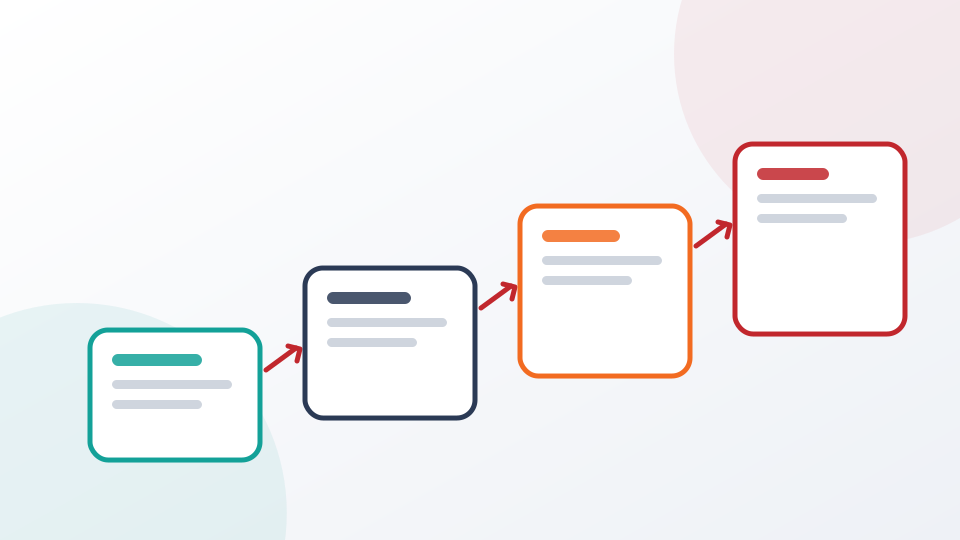
Two routes out of a pilot
- Pilot startsA small group tests a promising use case
- Decision pointExit criteria, owner and budget are checked
- Scale pathWider rollout with IT approval and training
- PurgatoryNo owner, no criteria, and the pilot lingers
The 95% finding, read carefully
The statistic most people have heard comes from "The GenAI Divide: State of AI in Business 2025," a report from MIT's NANDA initiative published in August 2025. Its headline claim, widely reported by outlets including Fortune, is that about 95% of enterprise generative AI pilots deliver little to no measurable profit-and-loss impact, while roughly 5% achieve rapid revenue acceleration.
It is worth understanding what the number does and does not say.
What it says. Enterprises have spent an estimated $30 billion to $40 billion on generative AI, and most of the initiatives the researchers examined produced no measurable business return. The report says 60% of organizations evaluated enterprise-grade systems, 20% reached the pilot stage and only 5% reached production (Virtualization Review, 2025).
From evaluation to production for enterprise-grade AI systems
View chart data
| Item | Value |
|---|---|
| Evaluated an enterprise-grade system | 60% |
| Reached pilot stage | 20% |
| Reached production | 5% |
What it does not say. It does not say that 95% of AI projects are technical failures, and it does not say AI cannot create value. The measure is narrow: measurable P&L impact within the period studied. Reports of the methodology also differ in detail. Some summaries cite 52 structured interviews and 153 survey responses alongside a review of more than 300 public initiatives, while others quote different counts. Because the sample is modest and the definition of success is strict, treat the 95% as a strong directional signal rather than a precise rate.
What the authors blame. The report is explicit that the core barrier is learning, not model quality, regulation or talent. In its words, most generative AI systems do not retain feedback, adapt to context or improve over time. Generic tools feel flexible for individuals but stall in enterprise settings because they do not fit into the workflows where work actually happens.
Two other findings deserve attention. First, the report found that workers at over 90% of companies regularly use personal AI tools, while only about 40% of companies had purchased an official large language model subscription. That gap is the shadow AI problem, and it means your people are already using AI, just not the version you approved. Second, the report found that more than half of generative AI budgets go to sales and marketing tools, although the biggest returns appeared in back-office automation. Where you aim the pilot matters.
Adoption and change management: the people problem
An AI tool that nobody opens has a return of zero, however good the model is. Most failed pilots can be traced to an adoption gap, and the adoption gap is almost always a change management gap.
McKinsey's data illustrates the point. Among organizations it classifies as AI high performers, nearly three-quarters report that they fundamentally redesigned workflows around AI. Among all other respondents the figure is about one-quarter (McKinsey, 2026).
Share of organizations that fundamentally redesigned workflows around AI
View chart data
| Item | Value |
|---|---|
| AI high performers | 75% |
| All other respondents | 25% |
Adoption fails for predictable reasons.
Nobody explained what is in it for them
Associates are asked to change habits without being told how the tool saves them time or removes work they dislike. If the benefit is framed as company efficiency rather than personal relief, usage stays low. The best adoption stories start with the administrative tasks people already resent: searching for the right procedure, summarizing long email threads, writing meeting minutes, chasing action items.
Training is a single event
A one-hour webinar does not build a habit. People need to try the tool on their own work, see it succeed, save a few favorite operations and come back the next day. Short, structured onboarding that spreads over a week works better than a long session once.
Managers are bypassed
MIT NANDA found that empowering line managers, not only central AI labs, tends to drive adoption. Managers set the daily routine. If they do not use the tool or ask their teams about it, the team will not either.
Feedback has nowhere to go
When users report that an answer was wrong or a feature was missing, and nothing visibly changes, they stop reporting and stop using the tool. A regular listening process closes that loop. It also feeds the learning that MIT identified as the missing ingredient.
Fear is ignored
Some employees worry that AI will replace them. Silence makes this worse. Be clear about what the tool is for, which tasks it takes on, and how roles will evolve.
Workflow integration: where the value is made or lost
Value from AI appears when it changes how a piece of work gets done. A chat window that sits beside the real tools asks people to copy, paste, switch tabs and re-explain context. Each of those steps is friction, and friction is enough to send people back to the old way.
Integration failures typically take one of three forms.
The assistant lives outside the systems of record. If the tool cannot read from or write to the applications your teams use, it can only answer general questions. It cannot find the current version of a procedure, pull a figure from a report or update a record. People quickly learn that it is a toy.
The workflow was never redesigned. Adding AI to a process built for manual work often just adds a step. The question to ask is which parts of the process should disappear, which should be automated and which should remain human decisions. McKinsey's high performers answer that question deliberately.
Each team builds its own point solution. Without a shared layer, you end up with dozens of tools, each connected to a different slice of data, each with its own permissions and none that talk to each other. MuleSoft's 2025 Connectivity Benchmark found that organizations use 897 applications on average, and that only 29% of them are connected (MuleSoft and Salesforce, 2025). An AI tool added to that landscape inherits the fragmentation unless it is designed to work across it.
MIT's finding that purchased tools and partnerships succeed more often than internal builds, reported at roughly two-thirds versus about one-third as often, is consistent with this. Integration is hard, ongoing work, and teams that try to build everything themselves often underestimate it. If you are weighing the options, our guide to integrating AI with legacy systems such as PLM, ERP and SharePoint covers the practical trade-offs.
Data access: the quiet blocker
Many pilots succeed on a curated dataset and then fail when they meet real data. In production, the information an assistant needs is scattered across email, shared drives, ticketing systems, product lifecycle management, quality systems and individual desktops. Some of it is structured in databases; much of it is unstructured in documents and messages. Some of it is restricted to certain roles.
Gartner's research on AI-ready data makes the scale of the issue clear. In a July 2024 survey of 1,203 data management leaders, 63% said their organizations either lack the right data management practices for AI or are unsure whether they have them. Gartner predicted that through 2026, organizations will abandon 60% of AI projects that are not supported by AI-ready data (Gartner, 2025).
For the pilot, data access creates three practical problems.
- Slow approvals. Getting permission to connect to a production system can take months, so the pilot runs on exports and samples that do not reflect reality.
- Permission mismatches. An assistant that sees everything is a security risk. An assistant that sees nothing is useless. The answer is to inherit the permissions people already have, which requires careful design.
- Stale or inconsistent sources. If two systems disagree and the assistant has no way to know which is authoritative, users lose trust after the first wrong answer.
We cover this topic in depth in enterprise data readiness and building a single source of truth. The short version is that you do not need to centralize everything before you start, but you do need a clear plan for which sources the pilot will use, who approves access and how current the data will be.
Measuring value before you scale
If you cannot say what the pilot is supposed to change, you cannot say whether it worked. Vague goals such as "improve productivity" or "explore AI" lead to anecdotes, and anecdotes do not survive a budget review.
A sound measurement plan has four parts.
A baseline. Measure the current state before the pilot starts. How long does it take to find a procedure, produce a report, summarize a week of email or prepare meeting minutes? Without a baseline, any improvement is a guess.
A small set of metrics. Pick three to five measures tied to the work. Time saved per task, number of tasks completed, quality or error rates, and active usage are typical. Avoid long dashboards that no one reads.
A link to money, or to a decision. Translate time into capacity, risk reduction or revenue where you can, and be honest about what remains uncertain. Never assume a return you have not measured.
A review rhythm. Check the numbers at fixed points, such as every two weeks during the pilot, and agree what result triggers expansion, adjustment or shutdown.
Usage is the most useful early signal. People use a tool when it makes their day easier, so rising and sustained usage is evidence of value, and falling usage is an early warning. This is also why usage-based pricing is worth discussing in vendor conversations: it aligns cost with the behavior you actually want. See our deeper article on measuring AI ROI and usage-based pricing for a worked approach.
A pre-pilot checklist you can use this week
Before you approve or restart any AI pilot, work through the following questions. If you cannot answer most of them, fix that first.
| Area | Question to answer | Warning sign |
|---|---|---|
| Purpose | Which specific task or workflow will change? | The goal is "explore AI" |
| Ownership | Who is accountable for production, not just the pilot? | Ownership sits only with IT or only with a vendor |
| Users | Who are the first 20 to 50 users and who is their manager? | Volunteers only, no line managers |
| Data | Which systems will the assistant read, and who approves access? | The pilot runs on exports and samples |
| Security | Has IT reviewed permissions, logging and data boundaries? | Review is scheduled for after the pilot |
| Measurement | What is the baseline, and which metrics decide success? | No baseline exists |
| Exit | What result triggers rollout, and what triggers a stop? | The pilot has no end date |
| Feedback | How will user input reach the people who can act on it? | Feedback goes to a shared inbox no one reads |
How Higgins approaches enterprise AI rollout
Higgins Enterprise, powered by higgins.ai, is built around the problems described above. It is an enterprise AI platform that acts as a federated layer in front of your existing applications, so every associate gets one assistant that can retrieve information, procedures, forms and reports, summarize email, take meeting minutes and action items, and automate administrative work. Rather than asking you to replace systems, it connects to them securely.
The most relevant part for pilot success is the way implementation is staged. Higgins uses a phased, risk-mitigated approach with Listening Sessions at every phase, so the biggest challenges are tackled first and every phase ships a deliverable that makes an impact.
Higgins phased implementation
- Phase IBest Practices AI, not connected to company data, available immediately
- Phase IIJunior-level assistant connected to limited data in SharePoint, Teams, Notes and ServiceNow
- Phase IIISenior-level assistant connected to software through APIs, such as Polarion, Veeva, Tableau and PLM
- RolloutSandbox, pilot trial, then beta launch
Phase I: familiarity without risk
In Phase I, associates use Best Practices AI for their discipline without any connection to company data. It can start immediately, which addresses the long approval delays that stall many pilots, and it gives people hands-on experience before sensitive information is involved.
Phase II: a junior-level assistant
Phase II connects the assistant to limited company data through validated connections to common repositories such as SharePoint, Teams, Notes and ServiceNow, focused on the project and product work that is top of mind for associates. This keeps scope tight and makes the early value visible.
Phase III: a senior-level assistant
Phase III links the assistant to company software through APIs, for example Polarion, Veeva, Tableau or a product lifecycle management system such as Siemens Teamcenter. This is where unstructured data can be combined with structured PLM data for deeper insights.
Sandbox, pilot trial, beta
Across the phases, the rollout path runs from sandbox to pilot trial to beta launch. The pilot is trained on relevant randomized data so it can learn the data structures, and it is approved through your IT process before a trained, structured AI is released with PLM and lab data. One example use case is a lessons-learned library: everyone enters data as normal, and Higgins reads the database and surfaces the lessons.
Listening Sessions and the 7-day onboarding
Listening Sessions answer the feedback and adoption problems directly. They are held at every phase so that the challenges users raise shape what is delivered next. On the individual level, Higgins offers a 7-day "Getting to Know Higgins" program: on Day 1 you generate your profile, on Day 2 you get familiar with your industry work AIs, on Days 3 and 4 you bring one and then a second work AI into your daily routine and save your favorite work operations, and on Days 5 to 7 you try the image, nutrition and personal AIs. The structure turns a first impression into a habit.
Why Higgins is suited to the pilot-to-production problem
Several design choices map onto the failure patterns above.
It works with the systems you have. Higgins is a federated AI layer that connects to existing applications, rather than a standalone chat tool. Integration examples include SharePoint, Microsoft Teams, Outlook, OneNote, ServiceNow, Salesforce, Tableau, Polarion, Veeva, Zoho, Oracle NetSuite, Google Drive and Siemens Teamcenter. See the integrations overview for more.
It is designed for IT approval. The Safe and Secure AI Environment keeps company data and intellectual property inside the company's environment, and permissions and usage are governed centrally. Higgins is designed to be approved through your IT process, including risk assessments, security testing and API security testing. It is built to support regimes such as HIPAA, GDPR, SOC 2 and 21 CFR Part 11, and you should confirm scope for your deployment with the Higgins team. Details are on the security and compliance page.
It uses specialized AIs working together. The Higgins "brain" combines different lobes for conversation, machine learning, deep learning and action-taking, and enterprise deployments use a team of 18+ specialized AIs to extract and combine structured and unstructured data. That supports more accurate, in-depth answers than a single general-purpose chat tool.
Its pricing follows usage. Maintenance and usage costs are based on usage rather than the number of users or annual seat fees. Associates use Higgins only if it makes them more efficient, so higher usage means greater return. This does not guarantee a result, but it aligns what you pay with whether the tool is being used.
To see how the process works step by step, read the implementation overview and the broader Higgins Enterprise page. If you want a sense of how others have responded to the product, the testimonials page collects feedback.
Where to start
You need a few firm choices to avoid pilot purgatory.
- Pick one workflow where administrative load is high and the benefit is easy to see, such as finding procedures, summarizing email or running meetings.
- Name a production owner and write the exit criteria before you begin.
- Involve IT and compliance in week one, not at the end.
- Measure a baseline and agree three to five metrics.
- Schedule listening sessions so that user feedback reaches the team on a fixed rhythm.
- Stage the rollout so each phase delivers something real before the next one starts.
If you want to explore how a phased rollout would look in your environment, contact the Higgins team to discuss your use case, or learn more about Higgins and its founder, Dr. Malik Hakim.
Frequently asked questions
Why do most enterprise AI pilots fail?
Most stall for organizational reasons rather than technical ones. Common causes are low adoption, tools that do not fit existing workflows, blocked or messy data access, late security review and no agreed measure of value. Research from MIT NANDA, S&P Global and Gartner points to these same themes.
Is the "95% of AI pilots fail" statistic accurate?
It comes from MIT NANDA's 2025 report and refers to generative AI pilots that show no measurable profit-and-loss impact. It is a useful directional signal, but the sample is modest and the definition of success is strict. It does not mean that 95% of AI projects are technical failures.
What is pilot purgatory?
Pilot purgatory is the state where an AI project keeps running as an experiment without ever becoming part of normal operations. It usually happens when there are no exit criteria, no production owner and no plan for security review, training or budget at scale.
How long should an AI pilot run?
There is no universal number, but a pilot should have a fixed end date and a clear decision at that point. Many teams use a window of weeks to a few months, with regular reviews, and agree in advance what usage and quality levels justify wider rollout.
How does a phased approach reduce AI project risk?
A phased approach delivers value in stages and limits exposure at each one. For example, starting with AI that is not connected to company data lets people learn safely, and later phases add limited, then broader, connections once IT has approved them. Listening sessions let you fix the biggest problems first.
Bring Higgins to your enterprise
Connect your applications, keep your data in your environment and give every associate one trusted AI. To use Higgins you will sign in at higgins.ai.
Keep reading
"Agentic AI in the Enterprise: From Chatbots to Action"
"Agentic AI in the enterprise explained: agents vs chatbots, orchestration, guardrails, human-in-the-loop, agent-washing and a maturity model for your rollout."
Enterprise AI Governance: Security and Compliance Guide
Enterprise AI governance explained: NIST AI RMF, ISO/IEC 42001, the EU AI Act timeline, GDPR, HIPAA, SOC 2, Part 11 and the controls that keep AI safe.
"AI in Regulated Industries: A Practical SOP, QA and RA Guide"
"AI in regulated industries demands validation, audit trails and human review. See how QA/RA teams can apply AI to SOPs, CAPA and submissions with control."