"Integrate AI With Legacy Systems: PLM, ERP and SharePoint"
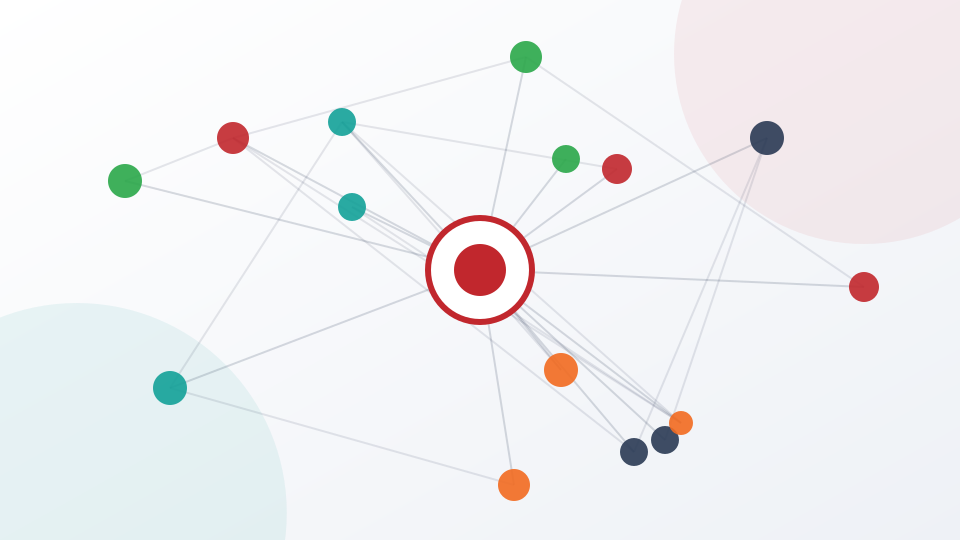
If you want to integrate AI with legacy systems, the hard part is rarely the AI. The model can summarize a document or answer a question within days. The hard part is that the document lives in SharePoint, the part numbers live in a product lifecycle management (PLM) system, the orders live in an ERP, the tickets live in ServiceNow and the customer history lives in Salesforce, and each of them has its own owner, its own permissions and its own idea of what a record looks like.
This guide explains the practical options for connecting AI to those systems: direct API access, repository or backup access, and extract-transform-load (ETL) pipelines. It covers how to handle SharePoint, Teams, ServiceNow, Salesforce, ERP and PLM, how to combine structured and unstructured data, why a federated overlay usually beats rip-and-replace, and what your security team will want to review.
Key takeaways
- Integration, not model quality, is the usual bottleneck. MuleSoft's 2025 benchmark found the average enterprise runs 897 applications and only 29% are integrated.
- You have three access routes: live API, a repository or backup copy, and a secondary copy. They trade freshness, speed and risk differently, and most enterprises use more than one.
- The most valuable insights come from combining structured data (PLM, ERP, CRM records) with unstructured content (documents, email, notes, tickets).
- A federated overlay lets you add AI in front of existing systems without migrating them, which is usually faster, cheaper and less risky than rip-and-replace.
- Treat the security review as part of the design: least-privilege connections, read-only first, API security testing and central permissions.
Why legacy integration is the real bottleneck
Almost every enterprise AI program meets the same obstacle: the useful data is spread across systems that were never designed to talk to an AI layer. MuleSoft's 2025 Connectivity Benchmark Report, based on a survey of 1,050 IT leaders, found that the average enterprise manages 897 applications while only 29% of them are integrated. Some 95% of respondents reported challenges integrating AI into existing processes, 80% named data integration as the most significant obstacle, and 90% said data silos create business problems. IT teams said they spend 39% of their time building custom integrations.
Integration is the common obstacle to enterprise AI
View chart data
| Item | Value |
|---|---|
| Face challenges integrating AI into existing processes | 95% |
| Report business challenges from data silos | 90% |
| Cite data integration as the biggest obstacle | 80% |
| Of IT time spent on custom integrations | 39% |
| Applications that are integrated (average) | 29% |
Legacy integration and AI risk by the numbers
These numbers also explain why so many pilots disappoint. A chat assistant that only sees what a user pastes into it never touches the master data behind real decisions. MIT's NANDA initiative reported in 2025 that around 5% of generative AI pilots achieved rapid revenue acceleration, pointing to tools that do not integrate deeply or adapt to workflows. Our post on why enterprise AI pilots fail covers the wider pattern.
What "legacy" really means
A legacy system is any system you cannot easily change: a PLM customized over fifteen years, an ERP with bespoke modules, or a document library with ten thousand inconsistently named folders. Legacy is a constraint, not an age, which is why you should avoid making these systems the first thing you change.
Three ways to give AI access to enterprise data
Whenever you connect AI to a system, you are choosing where the AI reads the data from. There are three broad routes, and each has a different profile.
Route 1: Direct API access
The AI calls the application's own API and retrieves records as they are now. This gives the freshest data and respects the application's own permission model if you pass the user's identity through. It is usually the fastest to set up for modern systems and the most precise, because the vendor defines what a record means.
The drawbacks are real. APIs have rate limits and licensing terms. Some legacy systems have no API or a poorly documented one. Every call touches a production system, so load and availability matter. And write access through an API is a bigger risk than read access, so it needs approval controls.
Route 2: A repository or backup of the application
Many systems already produce a repository, export or backup: a replica database, a nightly dump, a reporting copy, a data warehouse extract. The AI reads from that copy instead of the live application. This removes load from production, avoids API limits and lets you index the data deeply for search and analysis. The price is freshness, because the data is as recent as the last refresh, and you must re-apply permissions to the copy so that people do not see through the AI what they could not see in the source.
Route 3: A secondary repository or backup
When the first two options are unavailable, a secondary copy, such as a long-term archive, a disaster-recovery backup or a copy held by a third party, can still supply the information. It is typically slower and older, and some data may not be usable without restoration or transformation. For historical questions, such as lessons learned from projects closed years ago, a secondary copy may be all you need.
| Route | Freshness | Speed to set up | Load on source | Typical use |
|---|---|---|---|---|
| Live API | Real time | Fast for modern systems | Per-call load on production | Current status, records, actions |
| Repository or backup | Hours to days | Fast, depends on export | Minimal | Search, analytics, large corpora |
| Secondary copy or archive | Days to weeks | Slower | None | History, lessons learned, audit |
Most enterprises end up with a mix. Live status goes through APIs, bulk knowledge comes from repositories and history comes from archives. The architecture task is to present all three to the user as one assistant, with one set of permissions.
ETL, data lakes and the case for restraint
Extract-transform-load is the classic way of moving data from operational systems into somewhere analyzable. For AI, ETL has a second job: it prepares unstructured and structured data so that the AI can find and interpret it.
What good ETL for AI includes
Extraction with identity. Keep the source system's identifiers and permissions attached to each record or document chunk. If you lose them, you cannot enforce access later.
Transformation with context. Normalize units, dates and part numbers; keep document version and approval status; record the source, owner and date. Metadata is what lets an AI say "this is the current approved procedure, version 7" and not hand back an obsolete draft.
Loading with refresh rules. Decide how often each source is refreshed. Daily or weekly is enough for many knowledge sources. Operational data may need near-real-time access through an API.
A data lake, but a clean one
Many organizations respond to fragmentation by building a central data lake. That can work, but it often turns into a swamp: everything copied in, little curated, nobody accountable. Gartner reported in 2025 that 63% of organizations either do not have or are unsure whether they have the right data management practices for AI, and predicted that through 2026 organizations will abandon 60% of AI projects that lack AI-ready data. A clean internal data lake, with ownership, quality checks and clear scope, is a reasonable component. A blind copy of everything is not.
AI-ready data is still the exception
View chart data
| Item | Value |
|---|---|
| Lack or unsure of AI data practices | 63% |
| Projected abandonment of AI projects without AI-ready data | 60% |
We cover readiness in more detail in our guide to enterprise data readiness and a single source of truth. The short version is that you do not need perfect data before starting, but you do need to know which sources are authoritative.
System by system: SharePoint, Teams, ServiceNow, Salesforce, ERP and PLM
Each major system has its own integration character. Here is what to expect from the ones most enterprises care about.
SharePoint and Microsoft Teams
SharePoint is usually where procedures, policies, specifications and project documents live; Teams holds the conversations and files around them. Both offer well-documented interfaces, so connection is rarely the problem. The problems are content quality and permissions. Document libraries accumulate duplicates, obsolete versions and files with unclear ownership. Permissions are often set at site, library, folder and file level, with inheritance broken in places. Before connecting AI, identify the libraries that hold authoritative content, confirm who may see what, and make sure the AI honors those rules. Because these repositories contain mostly unstructured text, they are the natural starting point for a first connected assistant.
ServiceNow
ServiceNow holds incidents, requests, changes and knowledge articles. It has strong APIs and a structured data model, which makes it a good first source for operational questions: what is the status of this change, which incidents are related, which knowledge article answers this problem. Because tickets mix structured fields with free-text descriptions and comments, they illustrate the value of combining both kinds of data.
Salesforce and other CRM
Customer relationship data is both structured (accounts, opportunities, stages) and unstructured (call notes, emails, attachments). Salesforce exposes APIs and supports fine-grained sharing rules. The integration challenge is again permissions: a regional salesperson should not be able to ask the AI about accounts they cannot open. A well-built connection passes identity through and respects those rules. For growth-oriented use cases, see our post on using AI to accelerate enterprise growth.
ERP systems
ERP platforms hold orders, inventory, finance and manufacturing data. They tend to have complex data models, heavy customization and strict change control. Read-only access through an API or a reporting replica is nearly always the right starting point. Writing to an ERP through an AI should be treated as a separate, later project with approval steps, validation and rollback. Examples of ERPs in this category include Oracle NetSuite and many bespoke or older installations.
PLM
PLM systems, such as Siemens Teamcenter, are the system of record for product structure, bills of materials, change orders and design documents. They are highly structured, and they are surrounded by unstructured material: specifications, test reports, supplier correspondence and review minutes. The business value of connecting AI to PLM comes from linking those two worlds. A question like "which change orders affected this component and what did the associated test reports say?" cannot be answered from either side alone. PLM data is also commercially sensitive, so permissions and logging deserve extra care. Connecting to PLM is rarely a first-week activity; it is a mature step once the team has built confidence in simpler sources.
Combining structured and unstructured data
A single answer often needs both kinds of data. Structured data tells you what is true in the system of record: a part number, a revision, a supplier, a date, a quantity. Unstructured data tells you why and how: the rationale in a design review, the caveat in a supplier email, the corrective action in a nonconformance report.
Why combination is hard
Structured and unstructured sources use different identifiers and sit under different owners. A search alone finds documents that mention a part but may miss that it was superseded; a query alone returns the current revision but not the reason for the change. Reliable combination needs entity resolution (knowing that "PN-4471", "4471-B" and "the rear bracket" are one item), retrieval across both kinds of source, and a step that reconciles them and says where it is uncertain.
How a combined structured and unstructured answer is built
- QuestionA user asks in plain language, for example about a component and its history.
- RouteThe system decides which sources are relevant and which access route to use.
- RetrieveStructured records and unstructured documents are pulled in parallel.
- ReconcileEntities are matched and conflicts between sources are flagged.
- Answer with sourcesThe response cites the records and documents it used.
When evaluating any platform, ask the vendor to show a question that needs a record from one system and a document from another, with citations. If the demo only searches documents, it is document search, which may be fine, but you should know what you are buying.
Lessons learned as a test case
Lessons-learned libraries are an excellent test. People enter issues, corrective actions and outcomes in the usual systems, and nobody reads the archives. An AI that reads the underlying databases and documents can surface relevant past issues when similar work starts. The test is whether it finds the right lesson at the right moment, with a source you can click.
Rip-and-replace vs a federated overlay
When integration looks hard, a tempting alternative is to replace the old systems with a modern platform that has AI built in. Sometimes that is correct, particularly when the system is genuinely failing. As a default for AI enablement, though, it is a poor choice.
The case against rip-and-replace
Replacing an ERP or PLM is a multi-year program, so AI benefits wait for it. Migrations break integrations and lose history. Licenses, consultants, retraining and parallel running add cost long before value arrives. And a new platform's embedded AI can only see that platform, so you rebuild the fragmentation you were escaping.
The federated overlay
A federated overlay leaves systems where they are and adds an AI layer in front of them. The layer connects to each system through the best available route (API, repository or backup), applies central permissions, and presents one assistant to the user. The applications remain the systems of record; the AI is a consistent way to ask questions of all of them and to take administrative work off people.
| Factor | Rip-and-replace | Federated overlay |
|---|---|---|
| Time to first value | Years | Weeks to months |
| Disruption to operations | High | Low |
| Data migration | Required | Not required |
| Coverage across systems | Single platform | Across existing systems |
| Reversibility | Low | High |
| Main risk | Program overrun | Connection and permission quality |
The overlay has its own risks. It depends on the quality of each connection and on a permission model that can span systems. It is also an additional component to secure. But those risks are smaller and more manageable than a platform migration, and the overlay does not prevent you from replacing a failing system later. In fact it helps, because your users keep a single interface while the system underneath changes.
The security review: what to put in front of your IT team
Your security and risk teams will, rightly, scrutinize any new component that reaches into core systems. Make their job easier by preparing the answers in advance. IBM's 2025 Cost of a Data Breach Report found that 13% of organizations had experienced a breach of AI models or applications, that 97% of those lacked proper AI access controls, and that organizations with high levels of shadow AI faced an average of $670,000 more in breach costs. The report put the global average cost of a breach at $4.44 million. Access control is the repeated theme.
A review checklist
- Connection inventory. For every source, which route (API, repository, backup), which account, which scope and which direction (read or write)?
- Least privilege. Use dedicated service accounts with the minimum permissions. Start read-only.
- Identity propagation. Does the AI act with the end user's rights, or with a broad service account that could expose data across users?
- Data residency and boundaries. Where is data stored and processed? Can company data or intellectual property leave your environment? What exactly is sent to any external model or service?
- API security testing. Test authentication, authorization, rate limiting, input validation and error handling on every connection.
- Logging and audit. Are queries, retrievals and actions logged in a form you can review and retain?
- Refresh and revocation. When a person leaves or loses access, how quickly does the AI stop showing them data?
- Failure behavior. What happens when a source is down or returns something unexpected? The AI should say so, not invent an answer.
For the governance side of the same questions, including policy, accountability and compliance mapping, see AI governance, security and compliance in the enterprise. Staff who bypass the review by pasting data into unapproved tools create the opposite risk; our post on shadow AI risk and control addresses that.
How Higgins connects to existing systems
Higgins is an AI platform designed as a federated layer in front of your existing enterprise applications. It does not ask you to migrate. It securely integrates with the applications you already run and gives each associate one assistant that can retrieve information, standard procedures, forms and reports, summarize email, take meeting minutes and action items, and automate administrative work.
Three access methods
Higgins pools and analyzes data using the three routes described earlier. Method I reads directly from the server application through its API and is fast. Method II reads from a repository or backup of the application and is also fast. Method III reads from a secondary repository or backup and is slower. Alongside these, Higgins offers a Clean Internal Data Lake for enterprise-wide internal data and departmental directories or private locations for restricted content. Data and AI training can be refreshed daily or weekly depending on what your users need.
Three phases that carry risk down
Higgins implements in phases, with listening sessions at every phase so that the biggest challenges are tackled first and every phase ships a deliverable that makes an impact.
- Phase I provides Best Practices AI that is not connected to company data. Associates become familiar with discipline-specific AI, and this can start immediately.
- Phase II adds a junior-level assistant connected to limited company data through validated connections to common repositories such as SharePoint, Teams, Notes and ServiceNow, focused on the project and product work that is top of mind for associates.
- Phase III adds a senior-level assistant connected to some company software through APIs, for example Polarion, Veeva, Tableau, or a PLM such as Siemens Teamcenter. This is where unstructured data is combined with structured PLM data for what Higgins calls "combination magic" insights.
The rollout path moves from sandbox to pilot trial to beta launch. The pilot is trained on relevant randomized data so that the AI learns the data structures, the deployment is approved through IT, and then a trained structured AI is released with PLM and lab data. The sequence matches the risk logic in this article: unstructured and read-oriented first, then structured and API-driven.
Why this suits legacy environments
Several features of the Higgins design address the issues in this guide. The federated approach avoids migration. The three methods let you choose between freshness and speed per source and fall back to a repository or backup when an API is unavailable or unsuitable. A team of 18 or more specialized AIs works together to extract and combine structured and unstructured data, which targets the combination challenge above. Company data and intellectual property are not permitted to leave the company's environment, and permissions and usage are governed centrally. Higgins is designed to be approved through your IT process, including risk assessments, security testing and API security testing, and to support regimes such as HIPAA, GDPR, SOC 2 and 21 CFR Part 11; confirm the scope for your deployment with the team. Details are on the integrations and security and compliance pages.
Cost is also relevant to legacy projects. Higgins bases its maintenance and usage cost on usage, not on seats or annual fees, and the fees depend on data accessibility and your AI optimization needs. Integrating an existing company AI or application into Higgins is seamless and reduces usage costs. We cannot promise a particular return, since it depends on your data and processes.
A roadmap to integrate AI with legacy systems
Whichever platform you use, the same sequence tends to work.
Step 1: inventory and rank. List the systems and repositories that matter to the target use case. Rank them by value, data quality, access difficulty and sensitivity. Pick one or two to start.
Step 2: start with unstructured, read-only sources. SharePoint, Teams, notes and knowledge bases give the quickest return and the lowest risk. Confirm permissions and clean the authoritative libraries first.
Step 3: add operational systems through APIs or replicas. Bring in ServiceNow, CRM and ERP read access once the team trusts the basics. Prefer a reporting replica over hammering production.
Step 4: connect PLM and other structured systems. Add them when you have a clear question that needs the combination, and when pilot data has shown how the AI handles the data structures.
Step 5: add actions deliberately. Only after reading is reliable should you let the AI write to systems, and then only with approval, logging and rollback. Our post on agentic AI in the enterprise explains how to stage that.
Step 6: measure and review. Track usage, time saved and answer quality, and review connections and permissions on a schedule.
Common mistakes to avoid
- Boiling the ocean. Connecting every system at once delays value and multiplies risk.
- Ignoring permissions. If the AI can show what the user could not open, you have created a breach.
- Starting with write access. Read first, act later.
Frequently asked questions
Can you integrate AI with legacy systems without replacing them?
Yes. A federated overlay connects an AI layer to your existing applications through APIs, repositories or backups, and leaves the systems as they are. This is usually faster, cheaper and less disruptive than rip-and-replace, and it can be done in phases.
What is the difference between API access and repository access?
API access queries the live application and returns current data, but loads the production system and depends on API availability. Repository or backup access reads a copy, which is lighter on the source and good for search and analysis, but only as current as the last refresh. Many enterprises use both.
How do you combine PLM data with documents and email?
You need a platform that can query structured records and unstructured content together, match entities such as part numbers across them, and cite its sources. Typically this starts with documents in SharePoint or Teams and adds PLM access through an API once the pilot has shown how the AI handles your data structures.
Is it safe to give AI access to ERP and PLM data?
It can be, if connections are least-privilege, read-only at first, tested for API security, and governed by central permissions and logging. IBM's 2025 breach report found that 97% of organizations that suffered AI-related breaches lacked proper AI access controls, so access control should be the first design topic.
How long does an AI integration take?
It depends on the systems, the quality of the data and your approval process, so we avoid fixed timelines. A phased approach delivers something early, such as best-practice AI with no company data, and adds validated repository connections and then API connections as each step is approved by IT.
Next steps
Start by listing the systems your teams actually use and the questions they cannot answer today because the data is spread across them. Explore how Higgins fits on the enterprise page, review the implementation approach, read what colleagues say on the testimonials page, or learn more about the company on the about page. You can also build your team's skills through the Higgins Masterclass. When you are ready to discuss specific systems such as PLM, ERP or SharePoint, contact the Higgins team.
Bring Higgins to your enterprise
Connect your applications, keep your data in your environment and give every associate one trusted AI. To use Higgins you will sign in at higgins.ai.
Keep reading
Why Enterprise AI Pilots Fail and How to Reach Production
Why enterprise AI pilots fail: the 95% finding, pilot purgatory, weak adoption, poor workflow integration and data access, and a phased path to production.

"Agentic AI in the Enterprise: From Chatbots to Action"
"Agentic AI in the enterprise explained: agents vs chatbots, orchestration, guardrails, human-in-the-loop, agent-washing and a maturity model for your rollout."
Enterprise AI Governance: Security and Compliance Guide
Enterprise AI governance explained: NIST AI RMF, ISO/IEC 42001, the EU AI Act timeline, GDPR, HIPAA, SOC 2, Part 11 and the controls that keep AI safe.